
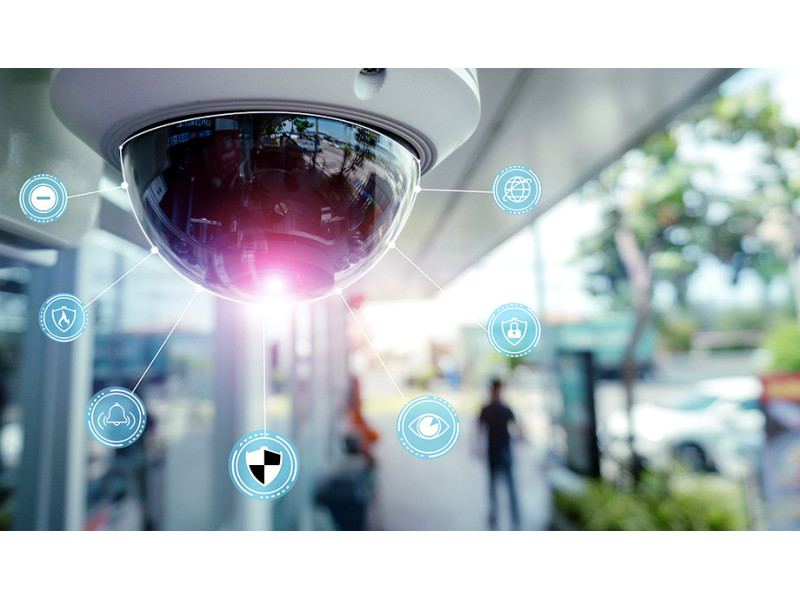
What Is Video Surveillance?
Definition and Purpose
Video surveillance is a system of monitoring and recording activities in a specific area using cameras and recording equipment. These systems are widely used for security, monitoring, and analytics, ensuring safety in residential, commercial, and industrial environments.
A typical video surveillance system includes:
Cameras - Capturing and transmitting footage.
Recording devices (DVR/NVR) - Storing video data.
Monitors - Displaying live and recorded video.
Power supply units - Ensuring stable operation.
Networking equipment - Connecting all devices into a unified system.
Modern systems do more than just record video-they integrate AI-driven analytics, facial recognition, and real-time security alerts.
History of Video Surveillance
1940s: The Beginnings
The first video surveillance systems appeared in military applications. These early cameras transmitted black-and-white video to monitors but lacked recording capability.
1970s: Commercial Use
With the introduction of VHS tape recording, businesses and public institutions began using surveillance to record footage for later review.
1990s: The Digital Shift
Digital Video Recorders (DVRs) replaced VHS tapes, offering higher storage capacity, better image quality, and faster access to recordings.
2000s-Present: Smart Surveillance
The introduction of IP cameras, cloud storage, and AI-driven analytics revolutionized video surveillance. Today’s systems feature real-time monitoring, smart motion detection, and automated security responses.
Types of Video Surveillance Systems
1. Analog CCTV Systems
Uses coaxial cables to transmit video signals.
Requires a DVR to digitize and store footage.
Lower cost but limited resolution and features.
📌 Best for: Small businesses, homes, and locations with existing coaxial infrastructure.
2. IP (Network) Surveillance Systems
Uses Ethernet or Wi-Fi to transmit digital video.
Requires an NVR for high-resolution recording.
Supports AI-driven analytics, cloud storage, and remote monitoring.
📌 Best for: Large businesses, smart homes, and advanced security setups.
Types of Security Cameras
Dome Cameras
Compact & discreet, ideal for indoor monitoring.
Vandal-resistant casing for security.
📌 Best for: Offices, retail stores, and home security.
Bullet Cameras
Long-range view, weatherproof housing.
Visible deterrent against intruders.
📌 Best for: Outdoor security, parking lots, and warehouses.
PTZ (Pan-Tilt-Zoom) Cameras
Remote-controlled movement & zoom.
AI integration for automated tracking of moving objects.
📌 Best for: Stadiums, airports, and government facilities.
Wireless & Wi-Fi Cameras
Easy installation & remote access.
Works via home/office Wi-Fi.
📌 Best for: Smart homes, apartments, and rental properties.
DVR vs. NVR: Choosing the Right Recorder
DVR (Digital Video Recorder) - For Analog Cameras
Converts analog signals into digital footage.
Uses coaxial cables for video transmission.
Compatible with AHD, TVI, CVI high-definition analog cameras.
📌 Best for: Existing CCTV setups and budget-conscious installations.
NVR (Network Video Recorder) - For IP Cameras
Processes digital video directly from network cameras.
Supports higher resolutions, cloud storage, and smart analytics.
Works via Ethernet or Wi-Fi.
📌 Best for: Advanced security systems with AI-powered monitoring.
Key Video Surveillance Terms
✔ ONVIF - A standard ensuring compatibility between different security devices. ✔ PoE (Power over Ethernet) - Powers IP cameras via a single network cable. ✔ PTZ (Pan-Tilt-Zoom) - Remote control over camera movement & zoom. ✔ Bitrate - Defines video data transmission speed, affecting quality & storage. ✔ Motion Detection - AI-powered detection triggering alerts & recording.
Understanding these terms helps in choosing the right surveillance system for your needs.
Legal Considerations for Video Surveillance
Before installing security cameras, it’s essential to follow legal guidelines: ✔ Inform employees, customers, or tenants about surveillance. ✔ Avoid placing cameras in private areas (bathrooms, private offices). ✔ Ensure recorded footage is securely stored to prevent data breaches.
Laws on video surveillance vary by state-always check local regulations before setting up a system.
Future Trends in Video Surveillance
🔹 AI-Powered Video Analytics - Smart detection of suspicious activities, facial recognition & behavior analysis. 🔹 5G & Cloud-Based Storage - Faster data transmission & seamless remote monitoring. 🔹 Thermal & Night Vision Cameras - Enhanced security in low-light conditions. 🔹 Edge Computing in Cameras - Real-time video processing directly on the device.
Looking for cutting-edge security solutions? Check out safsale.com for AI-powered surveillance cameras & smart security systems tailored to your needs! 🚀