

A surveillance computer can be assembled from standard components when a packaged recorder does not fit the project. The difficult part is matching the hardware to the actual work: receiving compressed streams, writing an archive, decoding pictures for operators, exporting evidence, and possibly running analytics. Camera count alone does not describe that workload.
This guide preserves a legacy sizing method and its component examples, then explains how to use them responsibly. The old tables were written for one particular video management system, or VMS. They are historical planning examples, not certified requirements for every current application. Before buying parts, confirm the exact software release, supported operating system, camera codecs, driver support, licensing, and vendor capacity limits.
If you prefer a supported appliance, compare the complete recording solution with a custom build, including installation, warranty, replacement parts, and recovery procedures. Safsale's video surveillance systems catalog provides a starting point for matching recording equipment to a project.
Separate the server from the viewing workstation
- Recording server: receives camera streams and stores the archive. Some products also provide a local operator interface.
- Background recording service: performs server work without an interactive desktop. A local or remote client manages it.
- Operator client: displays live and recorded video. In the architecture described here, it does not maintain the primary recording archive, although it may export clips.
These are functional roles, not three universal product names. A recorder that writes already compressed video can have a much lighter decoding workload than a workstation displaying dozens of full-resolution streams. Combining the roles saves a computer but also combines resource demands and failure consequences. Server-side analytics, transcoding, and simultaneous playback can change the calculation substantially.
Historical build examples and their assumptions
The original example assumed H.264 main streams at 1920 × 1080, 25 frames per second, and 4,096 kbps per camera. It also assumed CIF substreams at 25 fps and 256 kbps, Full HD operator monitors, and no server-side video analytics. These settings are inputs to an example, not required settings for a US installation. Select frame rate and exposure for the scene and lighting.
| Canales | Historical CPU example | RAM example | System SSD example |
|---|---|---|---|
| 8 | Intel Core i3-10100 | 8 GB Kingston Fury Beast Black | Samsung 980, 250 GB |
| 16 | Intel Core i5-10400 | 8 GB Kingston Fury Beast Black | Samsung 980, 250 GB |
| 32 | Intel Core i5-12500 | 8 GB Kingston Fury Beast Black | Samsung 980, 250 GB |
| 64 | Intel Core i9-12900K | 16 GB, originally two 8 GB modules | Samsung 980, 250 GB |
The viewing examples listed a TP-Link TG-3468 Gigabit Ethernet adapter; combined recording/viewing examples listed two adapters to separate camera and client networks. The source also specified “GeForce GTX 1050, 4 GB,” an ambiguous designation that should not become a purchasing instruction. NVIDIA's original product comparison distinguishes the 2 GB GTX 1050 from the 4 GB GTX 1050 Ti. Verify the exact board and supported decoding features instead of ordering from that shorthand.
For more than 64 displayed channels, the original design suggested multiple operator clients or a video-wall controller. That is a useful architectural option, not a universal 64-camera ceiling. Monitor layouts, substream switching, hardware decoding, and the number of simultaneously decoded streams determine practical viewing capacity.
| Canales | CPU example | RAM | Interfaces de red |
|---|---|---|---|
| 8 | Core i3-10100 | 8 GB | Two 1 Gbps TG-3468 adapters |
| 16 | Core i3-10100 | 8 GB | Two 1 Gbps TG-3468 adapters |
| 32 | Core i3-10100 | 8 GB | Two 1 Gbps TG-3468 adapters |
| 64 | Core i3-10100 | 16 GB | Two 1 Gbps TG-3468 adapters |
| 128 | Core i5-10400 | 16 GB | Two 1 Gbps TG-3468 adapters |
| 256 | Core i5-12500 | 24 GB | Two 2.5 Gbps TX201 adapters |
| 300 | Core i5-12500 | 24 GB | Two 2.5 Gbps TX201 adapters |
All recording-only examples used a Samsung 980 250 GB system SSD and assumed no dedicated graphics card was needed for recording. The original 24 GB configurations used three 8 GB modules. Memory population must instead follow the actual motherboard's supported configuration; a copied module count may give an undesirable channel arrangement. None of these old configurations establishes present-day availability or guaranteed performance.
Size the operator client
1. Count displayed streams and their resolution
Ask how many cameras must appear simultaneously and which stream each tile uses. A 4K camera shown through a low-resolution substream does not impose the same decoding load as its full-resolution stream. Group similar streams, calculate each group's workload, then combine the results. Include the demanding layout operators actually use, not just an empty startup screen.
The legacy method multiplied channels by a CPU Mark coefficient. CPU Mark is a general benchmark, not a direct measurement of video decoding capacity. PassMark describes its CPU benchmark as a suite of computational workloads. Codec implementation, frame rate, hardware acceleration, and software version can produce different surveillance performance at the same score.
| Displayed resolution | Approximate megapixels | Legacy coefficient |
|---|---|---|
| 320 × 240 | 0.077 | 250 |
| 352 × 288, CIF | 0.101 | 250 |
| 704 × 288, 2CIF | 0.203 | 250 |
| 640 × 360 | 0.230 | 250 |
| 640 × 480 | 0.307 | 250 |
| 704 × 576, 4CIF | 0.406 | 290 |
| 720 × 576 | 0.415 | 290 |
| 800 × 600 | 0.480 | 290 |
| 1024 × 768 | 0.786 | 290 |
| 1280 × 720 | 0.922 | 325 |
| 1280 × 960 | 1.229 | 480 |
| 1280 × 1024 | 1.311 | 480 |
| 1600 × 1200 | 1.920 | 520 |
| 1920 × 1080 | 2.074 | 585 |
| 2048 × 1536 | 3.146 | 590 |
| 2560 × 1600 | 4.096 | 1040 |
| 2592 × 1920 | 4.977 | 1730 |
| 6400 × 1200 | 7.680 | 1950 |
| 3840 × 2160 | 8.294 | 2080 |
| 4096 × 2160 | 8.847 | 2080 |
| 3648 × 2752 | 10.039 | 2080 |
| 4000 × 3000 | 12.000 | 2310 |
Several original megapixel labels were inaccurate; the values above are width multiplied by height, divided by one million. The coefficients are retained only to explain the old calculation. They have not been independently validated for a current VMS or new hardware.
- Ten Full HD streams: 10 × 585 = 5,850 legacy CPU Mark units.
- Five Full HD and five 640 × 480 streams: 5 × 585 + 5 × 250 = 4,175.
- Ten 640 × 480 substreams: 10 × 250 = 2,500.
The old method imposed a floor of 4,500, so the last two examples would use 4,500 when selecting a processor. That floor was a software-specific planning rule, not a universal requirement for a stable operating system. The source mentioned a Core i3-6320 as an example; do not assume its old benchmark score or platform support is appropriate today. Use the current application's hardware guidance and validate the intended layout.
2. Estimate memory
| Channel count | Legacy memory allowance |
|---|---|
| Hasta 32 | At least 8 GB |
| Up to 64 | At least 12 GB |
| Up to 128 | At least 16 GB |
| Up to 256 | At least 24 GB |
| Up to 300 | At least 24 GB |
Under that method, a ten-camera client received at least 8 GB. Real requirements also include the operating system, decoded frame buffers, databases, browser windows, and other software. The table's 12 GB allowance for 64 channels differs from the 16 GB component example; distinguish a planning threshold from a practical build configuration. Check memory consumption during prolonged viewing and playback, not only immediately after startup.
3. Choose graphics hardware and displays
The legacy client specified at least 2 GB of graphics memory, DirectDraw 7, OpenGL 1.4, and Pixel Shader 1.0 support. Those old graphics-interface checks are insufficient for a modern purchasing decision. Confirm codec profiles, resolutions, simultaneous decode capability, supported drivers, monitor outputs, and the acceleration modes the selected VMS actually uses.
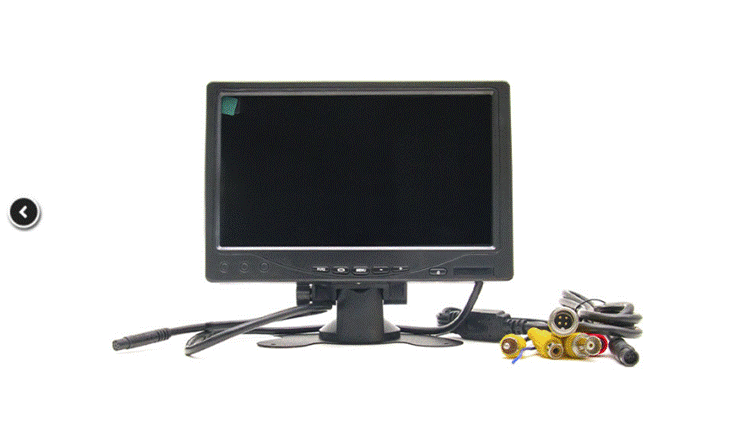
Use a supported driver version and test it with the software; “newest” is not automatically the validated version. A graphics card that drives several monitors may still struggle to decode their camera layouts. Conversely, recording compressed streams without viewing may need little graphics processing. Browse surveillance monitors with attention to inputs, resolution, mounting, and intended operating hours.
Size the recording server
1. Recording workload and CPU
Count all cameras attached to the server, including streams recorded simultaneously. Then identify additional work such as motion processing, analytics, encryption, export, and transcoding. Camera-based analytics may reduce some server work, but compatibility and event integration must be confirmed. Advanced server analytics require their own CPU or accelerator sizing.
| Canales | Historical threshold |
|---|---|
| Hasta 32 | 4500 |
| Up to 64 | 6500 |
| Up to 128 | 8500 |
| Up to 256 | 14000 |
| Up to 300 | 15500 |
The old example placed 50 cameras in the 6,500 band and mentioned a Core i7-4980HQ as a possible processor. It then compared that number with 5,850 for displaying ten Full HD channels and selected the larger value. Preserve that example as an explanation of the source method, but do not treat the larger number as proof that simultaneous workloads fit. Recording and decoding can compete for CPU, memory bandwidth, disk access, and cooling. Test both together, with exports and failover activity, and retain headroom.
Memory planning starts with the historical bands above, but the server count is the number of connected and recorded channels, not merely the number visible on a workstation. This corrects a copied client question in the original server section. Application databases and analytics can require substantially different allocations.
2. Calculate archive capacity from bitrate
For each camera group, record the main and substream settings, codec, frame rate, scene activity, hours recorded per day, and retention period. Resolution alone does not determine storage. Variable bitrate can increase with motion, noise, rain, and detailed scenes. Include every stream that is actually recorded, along with audio where applicable.
For decimal units, storage in GB = bitrate in Mbps × 0.45 × recording hours × days × cameras. Calculate unlike groups separately and add them. This estimates video payload; filesystem overhead, reserved space, RAID parity, and operating margin require additional allowance. Event recording reduces storage only to the extent that the real event duty cycle permits.
For the original 4,096 kbps main stream plus 256 kbps substream, the total is 4.352 Mbps. At 12 recording hours per day, each camera produces approximately 23.5008 GB daily. The following replaces the inconsistent original storage table, whose 300-camera column incorrectly continued a doubling pattern.
| Days | 8 cameras | 16 | 32 | 64 | 128 | 256 | 300 |
|---|---|---|---|---|---|---|---|
| 1 | 0.19 | 0.38 | 0.75 | 1.50 | 3.01 | 6.02 | 7.05 |
| 3 | 0.56 | 1.13 | 2.26 | 4.51 | 9.02 | 18.05 | 21.15 |
| 7 | 1.32 | 2.63 | 5.26 | 10.53 | 21.06 | 42.11 | 49.35 |
| 15 | 2.82 | 5.64 | 11.28 | 22.56 | 45.12 | 90.24 | 105.75 |
| 30 | 5.64 | 11.28 | 22.56 | 45.12 | 90.24 | 180.49 | 211.51 |
For 24-hour recording, double these figures. Eight cameras for 30 days need about 5.64 TB of video payload under these assumptions, while 300 cameras need about 211.51 TB. These are calculated examples, not measured archive sizes or disk purchase quantities.
The original examples named WD Purple, Seagate SkyHawk, and SkyHawk AI drives at capacities including 2, 4, 8, and 16 TB. Select drives approved for the recorder and its bay count, sustained workload, vibration environment, and array controller. Matching capacity is usually desirable within a conventional RAID group; it is not a universal requirement for every independent recording disk.
Keep the operating system and application installation separate from the video archive where practical. The old text suggested an M.2 SSD of at least 128 GB and illustrated 250 GB models. Size the system drive for the actual operating system, updates, logs, database, and recovery requirements. Archive data can technically share a physical disk in some designs, but that can create performance and recovery problems.
The original rule recommending hardware RAID 5 whenever a server had more than eight disks was too broad. Choose redundancy from availability needs, rebuild duration, usable capacity, controller support, and tested performance. RAID parity consumes capacity, and an array does not replace an independent copy of important evidence. Test recording and playback while the storage system is degraded or rebuilding.
3. Calculate incoming and outgoing network traffic
Incoming traffic includes all camera streams received by this server. A planning allowance can be expressed as the sum of camera bitrates multiplied by 1.20, but 20% is an example margin, not a guarantee against bursts. Verify camera peak rates, protocol overhead, switch uplinks, and other traffic.
For 100 cameras, each sending 4,096 kbps plus a 320 kbps substream: (100 × 4096 + 100 × 320) × 1.20 = 529,920 kbps = 529.92 Mbps. The source converted with 1,024 and labeled the result Mbps; network rates conventionally use decimal units. This example uses a different substream bitrate from the archive table, deliberately matching the original network scenario.
Outgoing traffic depends on what the server sends to clients or other servers. Ask how many workstations will connect, how many streams each requests, and whether both main and substreams are transmitted. Count only traffic originating from this server; clients pulling directly from cameras change the traffic path.
For three workstations each receiving ten channels, with both 4,096 kbps main and 320 kbps substreams: (3 × 10 × 4096 + 3 × 10 × 320) × 1.20 = 158,976 kbps = 158.976 Mbps. If the client requests only one stream per tile, do not automatically charge it for both. Add exports, playback, replication, and failover transfers as required.
Separate network interfaces can help isolate camera and client networks. A single full-duplex adapter can transmit and receive simultaneously, so its receive and transmit limits must each be checked; blindly adding both directions as though they share one half-duplex limit is misleading. The combined traffic still matters to the host, switches, and overall design. Network separation also requires correct addressing and routing, not just a second socket.
4. Graphics and the rest of the system
A recording-only server without GPU analytics or transcoding may not need a dedicated graphics card. Provide whatever local display or remote-management capability the platform requires. If operators view cameras on that server, apply the client graphics checks and test the combined workload. Confirm the motherboard actually provides the intended display path; not every processor includes integrated graphics.
Finally, match CPU socket, chipset, memory support, power supply, chassis, disk bays, cooling, and network adapters. Verify that the system can sustain recording without thermal throttling. Document the final parts list, supported software versions, storage layout, network diagram, and recovery procedure. Current Axis installation and hardware guidance illustrates why capacity planning must remain tied to a specific VMS and deployment. A successful build is one that passes its real workload and recovery tests, not one that merely matches an old table.
Productos relacionados de Safsale
Continúe desde la guía de la Academia a los equipos y componentes en vivo disponibles en Safsale.
 Reolink RLC-823A 8 Megapixel Outdoor PTZ IP Camera, 2.7-13.5mm LensVer producto
  Reolink Argus-2e Indoor/Outdoor Wire Free Smart Security Camera 1080pVer producto
  Hanwha Vision SND-6084 2MP Full HD Day/Night IP Dome Camera, 3-8.5mmVer producto
  Hikvision ECI-T24F2 4 Megapixel Network IR Outdoor Dome Camera, 2.8mm LensVer producto