
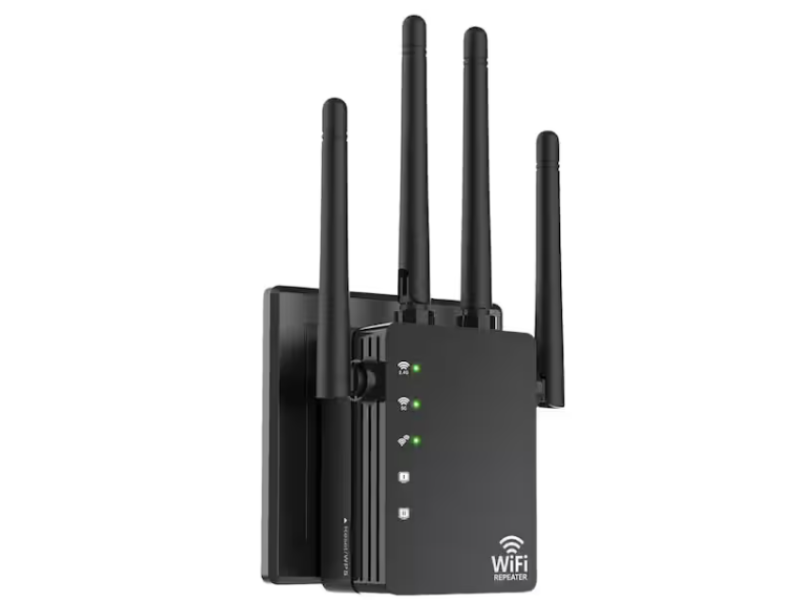
Repetidores WiFi: Extienda el alcance de su red
Expanding your WiFi network’s coverage can be challenging, especially in larger homes or offices. The limited range of your router—typically up to 150 feet (45 meters) in ideal conditions—often leaves “dead zones” where the signal is weak or lost altogether. This is usually due to physical obstructions like walls, which can reduce signal strength by 20–25 dB, making it nearly impossible for the router’s signal to penetrate multiple rooms.
A practical solution to overcome these limitations is to use a WiFi repeater, also known as a wireless extender or booster. A repeater captures the wireless signal from your primary router and retransmits it, effectively expanding your network’s coverage without the need for additional cables.
What Is a WiFi Repeater?
Un repetidor Wi-Fi es un dispositivo que “repite” tu señal inalámbrica existente. Funciona recibiendo la señal de tu router, ampliándola y luego transmitiendo la señal aumentada a áreas donde la señal original era demasiado débil. La red repetida conserva el mismo SSID y contraseña, asegurando una conectividad perfecta para todos tus dispositivos.
⚙️ Advantages of Using a WiFi Repeater
Configuración simple:
La mayoría de los repetidores ofrecen una instalación sencilla, ya sea a través de una interfaz web o con el método WPS (Wi-Fi Protected Setup).Asequible:
Compared to running new Ethernet cables or installing additional access points, WiFi repeaters provide a cost-effective way to improve coverage.Expansión rápida de cobertura:
They quickly extend the network’s reach, enabling devices in previously unreachable areas to connect reliably.
Nota: Aunque los repetidores pueden reducir ligeramente las velocidades generales de los datos (típicamente por 10–15%), el beneficio de la cobertura extendida generalmente supera esta pérdida menor.
Cómo elegir el repetidor WiFi adecuado
When selecting a WiFi repeater, consider the following criteria:
Especificaciones técnicas
Bandas de frecuencia:
Choose a dual-band repeater that operates on both 2.4 GHz and 5 GHz frequencies. The 2.4 GHz band offers better range and penetration through walls, while the 5 GHz band delivers faster speeds with less interference.Velocidades de transferencia de datos:
Ensure the repeater supports current standards such as IEEE 802.11n or 802.11ac. For example, a repeater that supports up to 600 Mbps (802.11n) or even 6 Gbps (802.11ac) can match modern internet service plans.Ganancia y sensibilidad de la señal:
Check the device’s gain (measured in dBi) to ensure it meets your coverage needs. A higher gain can help boost weak signals, especially in challenging environments.
Medio ambiente y tamaño del área
Apartamentos pequeños o casas de un solo piso:
A compact repeater with an integrated antenna may be sufficient.Grandes casas, oficinas o edificios de varias plantas:
Opte por modelos más potentes con antenas externas para cubrir áreas más grandes y superar obstáculos.
Compatibilidad y fiabilidad de la marca
Integración sin costuras:
Asegúrese de que su repetidor es compatible con su router existente. Muchos modelos de marcas como TP-Link, ASUS, Xiaomi y D-Link ofrecen interfaces web consistentes y un rendimiento confiable.Calidad de construcción:
Las marcas reputables tienden a usar componentes de alta calidad que reducen problemas como el sobrecalentamiento, pérdida de señal y problemas de actualización de firmware. Las opciones más baratas sin marca podrían ser menos estables y requerir más solución de problemas.
How to Install and Configure a WiFi Repeater
Paso 1: Configuración
Plug in the Repeater:
Connect the repeater to an electrical outlet in a location where it can receive a strong signal from your primary router.Acceda al dispositivo:
Busque en la parte posterior del repetidor su dirección predeterminada IP, nombre de usuario y contraseña.
Paso 2: Conexión
Conéctese a través de WiFi o Ethernet:
Utilice su computadora o smartphone para conectarse a la red del repetidor, ya sea de forma inalámbrica o a través de un cable Ethernet utilizando el patch cord proporcionado.Launch a Browser:
Open your web browser, enter the repeater’s IP address, and log in using the provided credentials.
Paso 3: Configuración
Seleccione el modo Repetidor:
In the web interface, choose the “Repeater” mode.Establezca la región y la red:
Especifique su región y seleccione su red WiFi primaria de la lista de redes disponibles. Introduzca el SSID y la contraseña de su red.Aplicar configuración:
Haga clic en "Aplicar" o "Guardar" para confirmar sus cambios. El repetidor se reiniciará y comenzará a retransmitir su señal WiFi.Configuración de doble banda (si procede):
If using a dual-band repeater, you may need to separately configure settings for the 5 GHz band, following a similar process.
Paso 4: Pruebas
- Análisis de señales:
Use a WiFi Analyzer app on your smartphone to check signal strength in various rooms. - Ensayo de velocidad:
Run an internet speed test (using a service like Speedtest.net) to verify that your connection is stable and meets your performance expectations. - Orientación Antena:
If your repeater has external antennas, adjust them according to whether the device is on the same floor as the router (vertical orientation) or on a different floor (horizontal orientation).
Conclusión
WiFi repeaters provide an effective, affordable way to extend your network’s coverage, ensuring reliable connectivity in every corner of your home, office, or rural property. By carefully selecting a model that meets your technical needs and following proper installation and configuration steps, you can overcome the limitations of your existing WiFi router and enjoy a more robust, seamless connection.
En safsale.com, we offer a range of trusted WiFi repeaters from leading brands such as TP-Link, ASUS, Xiaomi, and D-Link. Upgrade your wireless network today and experience enhanced performance and coverage, no matter where you are ???
¡Explora nuestros productos ahora y aumenta tu rendimiento WiFi con confianza!
Productos relacionados de Safsale
Continúe desde la guía de la Academia a los equipos y componentes en vivo disponibles en Safsale.


