
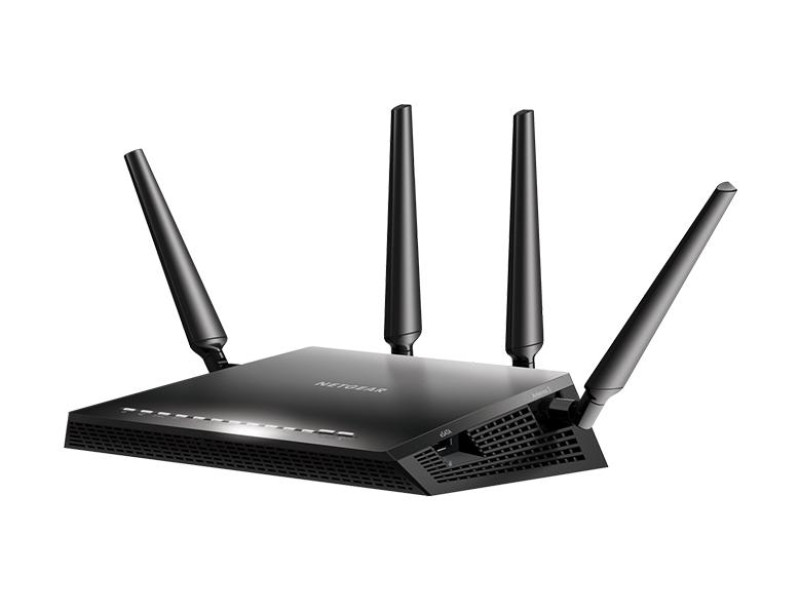
📶 WiFi Router Capabilities for Home and Rural Connectivity
Internet access has become as essential as a 120-volt outlet in every American home. With nearly 100% cellular coverage in populated areas, staying connected is easier than ever-even on a boat, airplane, or aboard the International Space Station. Yet, when you’re at a rural cabin or vacation property, establishing a reliable connection can be challenging. This is where a WiFi router comes in.
A WiFi router (or more precisely, a network router) is a device that distributes a central internet signal among multiple devices. Think of it like a power strip for data-just as an extension cord distributes 120 volts to several outlets, a router sends the internet signal to your computer, laptop, tablet, smart TV, and more.
The base signal may arrive via a cable-be it traditional copper or fiber-or over a radio frequency (not to be confused with WiFi). Then, the router distributes that signal using network cables (UTP or FTP, commonly known as twisted pair, with “F” indicating shielding) or wirelessly through WiFi.
🔍 What Is a WiFi Router and How Does It Work?
A WiFi router is a microcomputer that routes internet traffic between devices. It “sorts” connected devices by assigning each a unique IP address, allowing data to flow both selectively (device-to-device) and collectively to the entire network.
Key Functions:
- Wired Connectivity:
Routers distribute data via Ethernet cables-ensuring high-speed, stable connections. - Wireless Connectivity:
With WiFi, the router broadcasts the signal over the air, letting devices connect without cables. This wireless freedom is ideal for homes, offices, and rural setups where mobility matters. - Hybrid Operation:
Most modern routers offer both wired and wireless connectivity. In addition, WiFi extenders can boost signal range throughout your property.
📶 WiFi Router Range & Performance
Manufacturers may claim a WiFi range of up to 100 meters (about 328 feet) under ideal conditions, which means clear line-of-sight and minimal interference from obstacles like walls, metal appliances, or neighboring devices. In a typical home:
- Inside a Single Building:
The router will reliably cover every room, though signal strength may drop slightly across floors, especially through reinforced concrete floors. - Outdoor or Rural Use:
For a cabin or country house, positioning the router near a window can improve reception. If necessary, consider a WiFi repeater to extend the range further.
It’s important to note that if a router’s external antennas are integrated within the unit’s sleek casing, you might not be able to manually adjust them. Even so, slight adjustments in router placement can significantly enhance signal quality.
⚙️ WiFi Router Standards & Data Speeds
WiFi speeds depend on the 802.11 standard implemented:
- 802.11a: Up to 54 Mbps
- 802.11b: Up to 11 Mbps
- 802.11g: Up to 54 Mbps
- 802.11n: Up to 600 Mbps
- 802.11ac: Up to 6 Gbps with support for up to 8 antennas
For instance, if your internet service plan offers 100 Mbps, a router built on 802.11a, b, or g will only pass up to 54 Mbps. Upgrading to an 802.11n or 802.11ac router ensures you don’t “bottleneck” your connection, especially as your service plan speeds increase.
🔌 Setup and Network Considerations
Local vs. Home Network
- Local Networks:
These are typically used to connect computers within a small business or office. They are administered with robust security measures, passwords, and firewalls. - Home Networks:
In a home, devices like smart TVs, smartphones, and even refrigerators can connect via WiFi. Standard operating system features ensure basic security, but it’s crucial to use a strong password and change it at least once a year.
Router Configuration
- Security Settings:
Always set a strong WiFi password to prevent unauthorized access. - User Limits:
Some routers let you limit the number of devices that can connect simultaneously, which can help manage bandwidth. - Port Speeds:
Wired connections usually offer 100 Mbps per port, but for improved performance, consider a router with Gigabit (1 Gbps) Ethernet ports.
Firmware Updates
A router is essentially a mini-computer running its own operating system. Manufacturers frequently update firmware to enhance performance and security. Download and install the latest firmware from the manufacturer’s website to ensure your router remains reliable and secure.
🌟 Conclusion
A WiFi router is essential for distributing internet throughout your home or rural property. By understanding how it works-whether it uses wired, wireless, or hybrid connections-you can set up a network that meets your needs. Always consider factors like range, data speed, and security settings when choosing a router.
At safsale.com, we offer high-quality WiFi routers designed for American homes and rural settings. Upgrade your network for fast, reliable internet connectivity and enjoy the freedom of wireless data-no matter where you are 🚀📶🔧
Explore our selection now and transform your internet experience!