
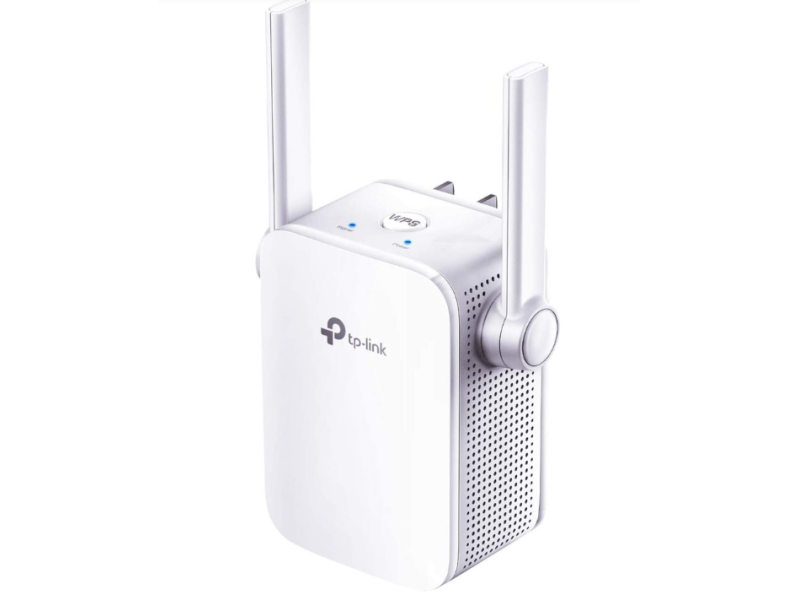
📶 WiFi Repeaters: Expand Your Network Coverage with Ease
In today's connected world, reliable internet access is as essential as having power in every American home. However, the signal from your WiFi router is often limited—typically reaching only about 150 feet in an open area and much less indoors due to walls and other obstacles. This limited coverage can affect everything from streaming video on your smart TV to managing a home security system.
WiFi repeaters (also known as extenders or boosters) offer a simple solution. They capture your router’s wireless signal and rebroadcast it, effectively expanding the range and improving connectivity across your home, office, or even a rural cabin.
At safsale.com, we provide high-quality WiFi repeaters designed to meet American standards. Here’s everything you need to know about selecting, installing, and setting up a WiFi repeater for enhanced network coverage.
🔍 What Is a WiFi Repeater?
A WiFi repeater is a specialized device that receives the wireless signal from your router and retransmits it to areas where the signal is weak or unavailable. The repeater essentially creates a new WiFi hotspot using the same network name (SSID) and password, ensuring seamless connectivity as you move around your property.
Key Benefits:
- Extended Coverage:
Overcomes the limitations of your router’s range (often less than 150 feet indoors) to reach every corner of your home or office. - Easy Installation:
Most repeaters are compact and designed for plug-and-play operation. - Cost-Effective:
An affordable way to enhance your network without the need for extensive cabling or additional access points.
📡 Factors Affecting WiFi Coverage
Several factors influence your router's effective range:
- Obstructions:
Walls, especially those made of reinforced concrete, can reduce signal strength by up to 20-25 dB. - Interference:
Household appliances like microwaves, cordless phones, and even neighboring WiFi networks can cause interference. - Router Placement:
Ideally, your router should be placed in a central, elevated location with minimal obstructions. - Network Load:
The more devices connected, the more the available bandwidth is divided, potentially reducing speeds.
By strategically using a WiFi repeater, you can overcome these limitations and ensure a stable, high-speed connection throughout your space.
🔧 Choosing the Right WiFi Repeater
When selecting a WiFi repeater, consider the following criteria:
1. Technical Specifications
- Frequency Bands:
Modern repeaters typically operate on dual bands—2.4 GHz and 5 GHz.- The 2.4 GHz band offers longer range but is more prone to interference.
- The 5 GHz band supports higher speeds with less interference but has a shorter range.
- Data Transfer Speed:
Ensure the repeater supports standards like 802.11n (up to 600 Mbps) or 802.11ac (up to 6 Gbps) to match your internet plan. - Signal Gain & Sensitivity:
Higher gain (measured in dBi) can boost your signal effectively. For instance, a repeater might improve signal strength by 10-15% compared to the router alone.
2. Room or Area Size
- Small Spaces (Apartments/Single-Story Homes):
A compact repeater with a built-in antenna may suffice. - Large Spaces (Offices/Two-Story Homes/Cabins):
Consider a more powerful repeater with external antennas to cover larger areas and overcome obstacles.
3. Ease of Setup
- Plug-and-Play vs. Manual Configuration:
Many repeaters support WPS (WiFi Protected Setup), allowing for automatic pairing with your router. Alternatively, a web-based interface offers detailed configuration options. - Compatibility:
Choose a repeater from a reputable brand like TP-Link, ASUS, Xiaomi, or D-Link to ensure compatibility and reliable performance. Consistent firmware and a user-friendly interface can make setup and troubleshooting much easier.
📶 Popular WiFi Repeater Models
TP-Link TL-WA850RE
- Frequency: 2.4 GHz
- Speed: Up to 300 Mbps (802.11n)
- Features: Compact design with 2 built-in antennas; ideal for small apartments and single-story homes.
TP-Link RE350
- Frequency: Dual-band (2.4 GHz and 5 GHz)
- Speed: Supports up to 1 Gbps on the LAN side
- Features: Two external antennas with LED signal indicators for optimal placement; suitable for larger homes and offices.
TP-Link RE200
- Frequency: Dual-band (2.4 GHz and 5 GHz)
- Features: Built-in signal indicator, media adapter for Smart TVs; excellent design for both aesthetics and performance.
Xiaomi Mi WiFi Amplifier
- Design: Ultra-compact repeater with a sleek design
- Interface: USB-powered, ideal for portable setups or smaller spaces
- Features: Automatic configuration for quick setup
🔧 Installation and Setup Tips
A. Placement
- Strategic Positioning:
Place the repeater within the effective range of your router—ideally in an area where the signal is still strong (e.g., near a window or central hallway). Use a smartphone with a WiFi Analyzer app to measure signal strength in different rooms. - Minimize Obstacles:
Avoid areas with many walls or electronic interference sources.
B. Connection and Configuration
- WPS Setup:
If your repeater supports WPS, simply press the WPS button on your router, then on the repeater, to automatically connect. - Web-Based Configuration:
If WPS is not available, connect your computer to the repeater using a provided Ethernet cable (often a short patch cord). Open your browser, enter the repeater’s IP address (usually printed on the device), and follow the on-screen instructions to set your network’s SSID and password. - Dual-Band Configuration:
If using a dual-band repeater, consider connecting it to the router on the 2.4 GHz band and then rebroadcasting on the 5 GHz band for higher speeds.
C. Final Checks
- Test Signal Strength and Speed:
Once set up, run a speed test in different parts of your home or office to ensure the repeater is effectively extending your network. - Adjust Antenna Orientation:
For repeaters with external antennas, fine-tune the orientation for maximum signal coverage.
🎯 Conclusion
WiFi repeaters are a practical and cost-effective solution to extend your wireless network's reach in American homes, offices, and remote properties like cabins. By understanding your space, selecting the right repeater based on technical specifications, and following proper installation guidelines, you can ensure reliable, high-speed internet connectivity throughout your property.
At safsale.com, we offer a range of quality WiFi repeaters from trusted brands like TP-Link, ASUS, Xiaomi, and D-Link. Upgrade your wireless network today and experience seamless connectivity—no matter where you are 🚀📶🔧
Explore our selection now and boost your WiFi performance with confidence!