

A retail camera system should answer practical questions: who entered, what happened at a checkout, how merchandise moved, and whether an incident needs a response. Different parts of a store require different views. A single wide image may show customer movement while failing to capture the transaction detail needed to resolve a dispute.
Choose cameras as part of a complete system that includes lighting, recording, storage, network capacity, access controls, and a response procedure. This guide covers analog and IP options, housing styles, resolution, lenses, night imaging, mobile viewing, and optional audio or alarm features.
What cameras can do for a store
- Visible surveillance may discourage some theft, vandalism, or unauthorized access.
- Authorized managers can inspect live views locally or remotely.
- Recorded footage can help reconstruct incidents, verify transaction context, and support an investigation.
- Reviewing documented events can identify operational problems, training needs, or recurring service delays.
These are potential benefits, not automatic outcomes. Cameras do not eliminate theft, prove someone's intentions, or guarantee improved staff productivity. A system also does not remove the need for someone to assess alerts and take appropriate action. Define who responds during business hours and after closing.
Use review procedures that treat recordings as evidence requiring context. An obscured hand movement, missing angle, or incorrect timestamp can change an interpretation. Document the system's limitations and avoid treating an analytics alert as a final finding about a customer or employee.
Draw the coverage plan first
Start with the floor plan. Mark entrances, exits, checkout lanes, valuable merchandise, receiving doors, stockrooms, and exterior areas. Add customer routes, shelf heights, lighting, windows, and likely obstructions. Then assign each proposed camera a specific purpose.
| Area | Typical task | Design concern |
|---|---|---|
| Entrance | Useful view of arriving people | Backlighting, mounting angle, moving faces |
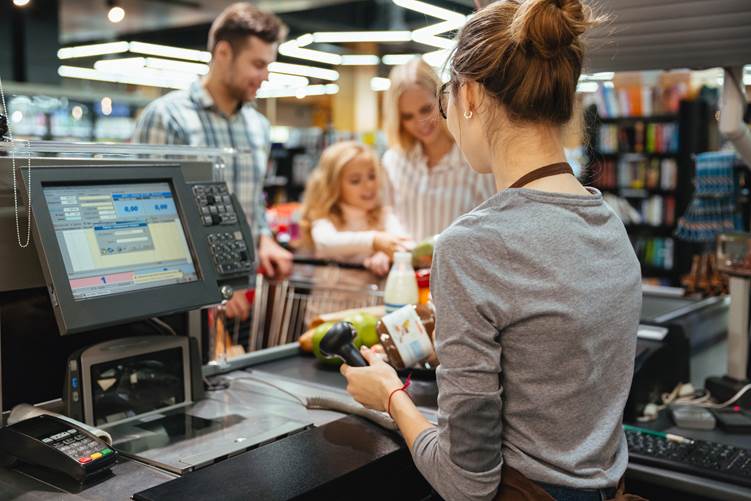
| Checkout | Transaction context and hand movements | Cashier/customer occlusion and screen privacy |
| Sales floor | Movement and incident overview | Shelves, displays, crowds, blind spots |
| Receiving area | Deliveries and stock movement | Open doors, vehicles, loading activity |
| Exterior | Approaches and parking activity | Weather, nighttime lighting, target distance |
Decide whether each area needs continuous recording, scheduled recording, or event-based clips. Consider both crowded daytime conditions and the lighting after closing. Outdoor units need suitable environmental ratings; a sheltered location does not automatically make an indoor camera appropriate.
Analytics such as transaction-linked video, customer-flow mapping, or shelf-availability monitoring may be useful when supported by the wider system. They need appropriate camera placement, integration, licensing, and validation. Do not add them before confirming that the underlying recorded images meet the basic security tasks.
Analog or IP?
HD-over-coax cameras connect to a compatible DVR, which processes and records the video. A network-enabled DVR can provide remote viewing; a separate decoder is not inherently required to put the image online. Existing coaxial cable can make this architecture attractive for an upgrade if its condition and supported distances are suitable.
Analog does not automatically mean low resolution or no additional functions. Resolution, audio, control, and recorder analytics vary by format and model. Compare the installed cost of compatible cameras, DVR channels, power, cable work, storage, and remote-access requirements.
IP cameras encode video and transmit network streams to an NVR, server, or supported service. Many professional installations use wired Ethernet and PoE. Wi-Fi, battery operation, USB power, memory cards, PTZ movement, and face or plate analytics are optional model-specific features, not properties of every IP camera.
IP can offer flexible expansion and camera-side processing, but it also requires network planning and secure configuration. Both architectures can support useful retail surveillance. A small budget does not automatically dictate analog, and a preference for IP does not mean that every camera must use Wi-Fi.
Choose a housing for the mounting location
Sales-floor domes and turrets
Dome cameras are common indoors because they can blend into ceilings and protect the lens behind a cover. The direction may be less obvious, but that does not eliminate blind spots. Impact resistance depends on the product's rating and mounting, not merely the presence of a dome.
Turret cameras are another option where their aiming range and exposed lens window suit the installation. For either type, consider cleaning, access for service, lighting reflections, and whether shelving can obstruct the view after the store layout changes.
Exterior bullet cameras
Bullet cameras on suitable brackets can watch doors, delivery areas, and parking approaches. Their direction is usually apparent, which may suit a visible deterrence role. Check ingress protection, temperature range, impact exposure, mounting strength, and sealed cable entries.
Outdoor domes and turrets are also available. Housing shape is a starting point rather than a rule that every exterior camera must be cylindrical. The lens and lighting must match the distance and width of the actual target area.
Checkout cameras
A compact cube camera can fit a shelf or counter, but a securely mounted ceiling or wall camera may provide a more stable transaction view. A movable device can be accidentally turned, unplugged, or blocked. Select the mounting arrangement that keeps the required details visible during normal cashier and customer movements.
Frame hands, merchandise, and the transaction area as required, while avoiding unnecessary capture of sensitive payment information. If video is linked to point-of-sale events, verify timestamp alignment and the integration's accuracy before relying on searches by receipt or transaction.
Resolution is only part of detail
Two-, four-, and eight-megapixel cameras are familiar options, but there is no single best megapixel count for every store. The relevant question is how many useful pixels cover the person, object, or transaction at the required distance. A high-resolution camera aimed across a huge area may provide less useful detail than a lower-resolution camera with a tighter view.
Do not assume that any camera below 4 MP identifies faces at 5 meters or that every camera above 4 MP reads currency denominations. Lens choice, focus, angle, lighting, exposure, compression, and movement all affect the result. Digital zoom enlarges existing pixels; it does not create missing detail.
Image noise, flicker, blur, or banding may require changes to lighting, exposure, cabling, or hardware. These problems cannot always be fixed by a quick setting adjustment. Test a person walking through the entrance and a realistic transaction at the checkout, then inspect the recorded footage.
Field of view and focal length
For the same sensor, a shorter focal length generally produces a wider view and a longer focal length a narrower one. Sensor size also affects the angle. Focal length is normally specified in millimeters; it is not a room-size measurement or a direct viewing-distance guarantee.
A 2.8 mm, 3.6 mm, 4 mm, or 6 mm lens can produce different angles on different sensors. Therefore, rules assigning a 180-degree view to a small shop or an exact 110-degree view to a larger shop are unreliable. Use the manufacturer's horizontal and vertical field-of-view data for the actual model.
A wide view can cover several aisles but may lose transaction detail at the far end. A narrower lens can concentrate pixels on a doorway or checkout while leaving other areas outside the image. A varifocal lens helps adjust coverage during installation, especially when the final mounting position is uncertain.
If the budget allows only one camera, prioritize the most important task and document the uncovered areas. Do not assume that a single camera can simultaneously see around shelving, identify every entrant, and inspect every transaction. Coverage overlap may be necessary where people or fixtures block one view.
Night imaging and illumination
Infrared illumination can help a compatible day/night camera record in darkness, usually in monochrome. It may be built in or supplied separately. Many cameras switch IR according to ambient light or a configured schedule; motion-triggered lighting is a separate feature and is not universal.
The advertised IR range describes illumination capability under stated conditions. It is not the distance at which a person's facial features are guaranteed to be identifiable. A camera with a nominal 10-meter range does not automatically solve a parking view at 7 meters. Beam width, target reflectivity, exposure, and pixel density still matter.
Reflective signs, nearby walls, dirty covers, and glass can cause glare or uneven illumination. Test with the store's normal nighttime lighting and with lights switched off where that is a realistic condition. Built-in IR aimed through a window often creates reflections rather than a useful exterior view.
The source material discussed the manufacturer names EXIR and ColorVu. They refer to different imaging approaches, not interchangeable measures of resolution: EXIR is associated with infrared illumination, while ColorVu describes a low-light color-imaging product family. Product generations vary. Review the actual camera specification for sensor, lens, supplemental light, and color performance instead of treating either name as a guaranteed result.
Visible supplemental light can preserve color when suitable and permitted at the site. Evaluate glare, customer comfort, neighboring properties, and image exposure. True color capture requires adequate visible-light information; monochrome IR footage should not be presented as evidence of an object's actual color.
Mobile access and management
A supported app can provide live views, recordings, alerts, and selected controls from an authorized phone. Access depends on the camera or recorder, account permissions, connectivity, service availability, and app support. It is not guaranteed from every location at every moment.
Check whether the app can search and export the full-quality archive or only display a reduced live stream. Distinguish saving a clip on the phone from maintaining a complete archive. Protect downloaded clips and remove account access promptly when staff responsibilities change.
Use strong unique credentials, supported firmware, and available multifactor authentication. Give each user only the permissions needed for the job. Configure remote access through a supported secure method and test it without exposing unnecessary device services to the public Internet.
Optional audio, alarms, and multiple streams
A microphone captures sound; a speaker plays announcements or talk-down messages. These roles are sometimes confused in camera descriptions. Two-way audio may help communicate with staff, but it is not required for every retail camera and cannot guarantee that a conflict or theft will be prevented.
Review audio separately from video. State laws can impose consent requirements for recording confidential conversations. For example, California's chaptered law discussing Penal Code section 632 addresses all-party consent to confidential communications, subject to statutory exceptions. A camera sign should not be assumed to authorize every audio use. Keep audio disabled until the applicable requirements and purpose are clear.
Wide dynamic range, or WDR, helps handle scenes containing bright and dark areas, such as an entrance with strong daylight behind a person. It does not simply separate objects from a similarly colored background. Color accuracy and small details such as eye color still depend on lighting, distance, and the complete imaging chain.
Built-in sirens or recorded messages can support a response plan where appropriate. Set schedules and trigger conditions, test nuisance alarms, and define who can activate them. A detected movement may be a cleaner, delivery worker, or ordinary customer, so escalation should reflect the context.
Multiple video streams allow a camera to provide different resolutions, frame rates, or bitrates for recording and viewing. A high-quality main stream might feed the recorder while a smaller stream serves a phone. This is distinct from MU-MIMO, a wireless networking technique. Neither term inherently means that the camera stores simultaneous copies in every destination.
Storage and dummy cameras
Local NVR storage, camera cards, cloud recording, or a combination can meet different requirements. Compare retention, Internet upload needs, recurring fees, outage behavior, access controls, and export options. Cloud storage is not automatically best or continuously reachable; local storage can also fail or be stolen. Important incidents may need a separate protected export.
Dummy cameras cannot record, alert, or help reconstruct an incident. Their deterrent effect is uncertain, even in a well-lit store. Do not count them toward required coverage or describe an area as recorded when it is not. If resources are limited, prioritize effective real coverage of the most important zones.
Commission the complete system
Compare security cameras and recording systems against the floor plan, then verify every critical view during business hours and after closing. Test recording, search, export, alerts, timestamps, and actual retention. Recheck coverage whenever displays or checkout layouts change.
Set clear rules for access, disclosure, retention, and deletion. The FTC's business guidance recommends identifying retained personal information, limiting access, protecting it, and securely disposing of what is no longer needed. Combined with suitable camera placement and a practical response process, these controls make the footage useful without collecting more than the store needs.
Related products from Safsale
Continue from Academy guidance to live equipment and components available on Safsale.
 Reolink RLC-823A 8 Megapixel Outdoor PTZ IP Camera, 2.7-13.5mm LensView product
  Reolink Argus-2e Indoor/Outdoor Wire Free Smart Security Camera 1080pView product
  Hanwha Vision SND-6084 2MP Full HD Day/Night IP Dome Camera, 3-8.5mmView product
  Hikvision ECI-T24F2 4 Megapixel Network IR Outdoor Dome Camera, 2.8mm LensView product